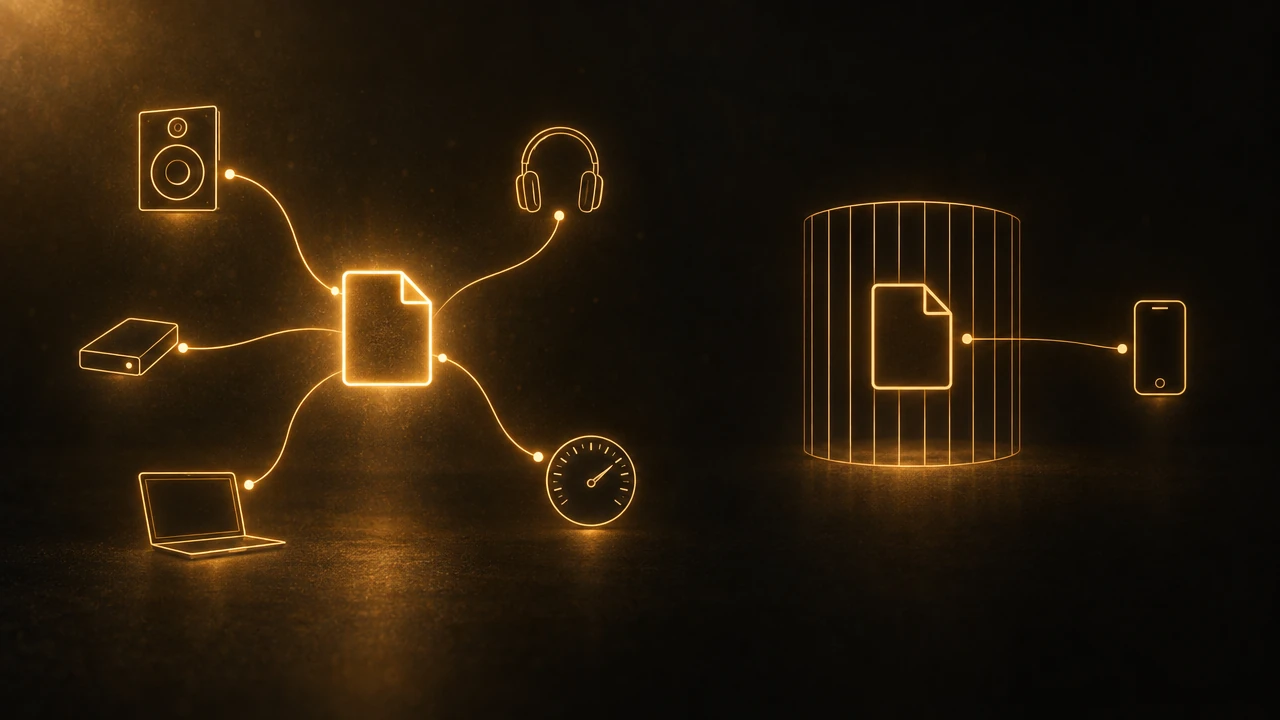
Libro.fm and Audible cost almost the same per month, and their catalogs overlap heavily on mainstream titles. The difference that outlasts any promotion is the file: Libro.fm hands you a DRM-free MP3 or M4B you can drop into any player, Audible hands you a protected download that plays in Audible's apps. Pick Libro.fm if you want the file to be yours and want the money to reach an independent bookstore. Pick Audible if you need a catalog nobody else matches, or if you buy annually and Libro.fm's free-audiobook offer has ended by the time you read this.
What is the real difference between Libro.fm and Audible?
Almost every page ranking for this comparison settles it on indie bookstore support, and that is a real difference: Libro.fm splits your purchase with a bookshop you choose. But it is a reason to feel good about a purchase, not a reason the purchase behaves differently a year later.
The difference that keeps mattering is DRM. Libro.fm sells audiobooks without copy protection. Audible's downloads are protected and open only in Audible's own apps. Both companies will tell you that a credit-bought title stays yours after you cancel, and both are telling the truth, but the two sentences mean different things. On Libro.fm, yours means a file on your disk. On Audible, yours means an entry in an account you must keep logging into.
Most comparisons stop at the phrase "DRM-free" and move on. That phrase is the whole decision, and nobody spells out what it buys you, so the rest of this page does.
What do Libro.fm and Audible cost in 2026?
Libro.fm charges $14.99 a month for one credit, plus 30 percent off anything else you buy, and the credit works on any title regardless of list price. Its membership page, checked September 20, 2026, still states that credits never expire.
Audible's App Store listing, rechecked September 20, 2026, shows Premium Plus Monthly at $15.99, a lower Plus tier at $7.99, an iOS Standard Plan at $9.99, and an annual plan at $159.99. None of those has changed since we first opened the listing on September 15. Audible's web prices are lower than its in-app prices, around $14.95 a month, but Audible's plans page builds its numbers in the browser and a plain fetch returns an empty shell, so treat that figure as secondary and check it against your own account.
Now the part the Libro.fm-friendly posts leave out, and the part that has moved since we first wrote this page. In January 2026 Libro.fm launched an annual plan at $169.99 for 12 credits, reported by Publishers Weekly on January 22, 2026. Audible's annual plan is $159.99 for 12 credits. On the list prices alone, Audible is ten dollars cheaper a year.
But Libro.fm's site carried a banner on September 20, 2026 reading "Start an annual plan, get a free audiobook." Publishers Weekly had described a bonus credit on this plan as limited-time back in January; nine months later a version of it is still running, which is worth knowing before you treat it as a deadline. With the extra title counted, the Libro.fm year is 13 audiobooks for $169.99, or $13.08 each, against Audible's 12 for $159.99, or $13.33 each. That is a 25 cent per book difference, which is another way of saying the annual plans cost the same and the file you get is the real decision. Check whether the offer is still up when you sign up, because without it Audible is the cheaper year.
How big is each catalog?
Libro.fm's membership page, checked September 20, 2026, puts the catalog at over 750,000 audiobooks. That is the figure to use: Publishers Weekly reported 600,000 in over 100 languages in January, and our own earlier version of this page carried that lower number. Audible's App Store listing claims more than a million audiobooks and podcasts across every genre.
This is worth stating plainly because the pages ranking for this comparison in September 2026 were stale on it. One of them told readers Libro.fm carries "over 125,000" titles and that Audible is "about double" that. The first number is off by six times now, and the ratio it implies has not been right for years. The gap is real but narrower than the ranking pages suggest, and in practice the question is not catalog size, it is whether the specific books you want are there. For mainstream nonfiction from major publishers, they usually are on both.
Where Audible genuinely wins is its own productions. Audible Originals and Audible-exclusive titles exist nowhere else, by design. If your list has exclusives on it, the comparison ends there.
What does DRM-free actually let you do?
Here is the concrete mechanic, which is the thing the comparison pages skip. On Libro.fm you can download your audiobook from the website in one of two shapes: a zip of individual MP3 tracks, or a single M4B file containing the whole book. Libro.fm's own instructions tell you to import those files into the media player of your choice. Nothing has to be activated first, and no authorized-device count applies.
That means the audiobook behaves like a file you bought, because it is one. You can back it up. You can play it in a desktop player, a car stereo that reads a USB stick, or a third-party app with features Libro.fm's own app does not have. You can still play it in ten years on software that has not been written yet.
With an Audible purchase, none of that is available. The download is protected, it plays in Audible's apps, and no outside tool can open it. Tools that strip the protection exist and are easy to find, and this page is not going to pretend otherwise, but doing so sits in legally contested territory and is not a plan we would build a reading habit on.
For anyone using audiobooks to actually learn something, this is the practical fork. Notes, transcripts, highlights and review tools all need to reach the audio. A DRM-free file can be reached. A protected one cannot, no matter which tool you pick or how much you pay for it.
What happens when you cancel?
Both services let you keep credit-purchased titles. Libro.fm states that you can pause or cancel at any time and keep your audiobooks and unused credits, monthly or annual.
The difference is what "keep" survives. If you downloaded your Libro.fm files, your library survives the company: it is sitting on your drive. An Audible library survives only as long as your account and Audible's apps do. That is not a prediction of doom, Audible is not going anywhere, but it is the honest description of what you bought.
Which one should you pick?
Pick Libro.fm if you want files you control, if you listen on hardware or in apps outside a company's own ecosystem, if you plan to take notes on what you hear, or if you want your money to reach a bookshop. Its about page, checked September 20, 2026, claims more than 5,000 partner bookstores and members in 95 countries, up from the 4,419 shops in 39 countries it reported in January.
Pick Audible if you want its exclusives, if you use the cheaper $7.99 tier, if the free-audiobook offer has lapsed and the ten dollars a year matters, or if your household is already deep in Amazon's ecosystem and you value one fewer account. The same ownership question inside Amazon's own walls is Kindle Unlimited vs Audible.
Pick both, which is less absurd than it sounds: buy the nonfiction you intend to work with from Libro.fm, and let Audible cover the fiction and the exclusives you only plan to listen to once.
What if you want to take notes on what you hear?
If you are comparing these two because you want to get more out of nonfiction rather than simply consume more of it, the format question decides which tools you can ever use. Owning the file is the precondition; it is not the skill. Listening without a mechanism for keeping anything produces a familiar feeling about a book and very few retrievable ideas, which is the subject of why you can't retain information, and the fixes that work while your hands are busy are in how to remember what you listen to.
Graspd is our audiobook and podcast companion: it holds a conversation about what you have heard so far, without spoiling what comes later, and turns marked moments into recaps and quizzes. The limit belongs on this page more than any other. Audible files carry DRM and cannot be imported into Graspd or any other third-party tool. Audio you own outright, including a Libro.fm MP3 or M4B, can be. If you want the wider comparison of summaries against full audiobooks, that is Blinkist vs Audible, the subscription library that now meters titles the same way Audible does is covered in Everand vs Audible, and the podcast side of the same habit is in taking notes without stopping the episode.
FAQ
Is Libro.fm cheaper than Audible?
Monthly they are within a few cents: Libro.fm is $14.99 and Audible's Premium Plus is $15.99 in the App Store, less on the web. Annually the list prices favor Audible, $159.99 for 12 credits against $169.99, but Libro.fm was still giving annual members a free audiobook on September 20, 2026, which closes the gap to 25 cents a book.
Are Libro.fm audiobooks really DRM-free?
Yes. Libro.fm sells every title without copy protection and lets you download either a zip of MP3 tracks or a single M4B file from its website. Its own support documentation tells you to import those files into the media player of your choice, and there is no device authorization step involved.
Can I keep my audiobooks if I cancel Libro.fm?
Yes. Libro.fm states that you can pause or cancel at any time and keep both your audiobooks and any unused credits, on monthly and annual plans alike. Because the files carry no copy protection, anything you downloaded stays playable regardless of what happens to your account later.
Does Libro.fm have a smaller catalog than Audible?
Yes, though less dramatically than older comparison posts claim. Libro.fm's membership page put the catalog at over 750,000 audiobooks on September 20, 2026, while Audible's App Store listing claims more than a million titles and podcasts. Audible's exclusive productions are the real gap, not the raw count.
Can I use Audible audiobooks with a note-taking app?
No. Audible downloads are protected and open only in Audible's apps, so no outside tool can reach the audio or a transcript of it. That applies to Graspd as well. Podcasts and DRM-free files, such as the MP3 or M4B you download from Libro.fm, are the formats third-party tools can work with.