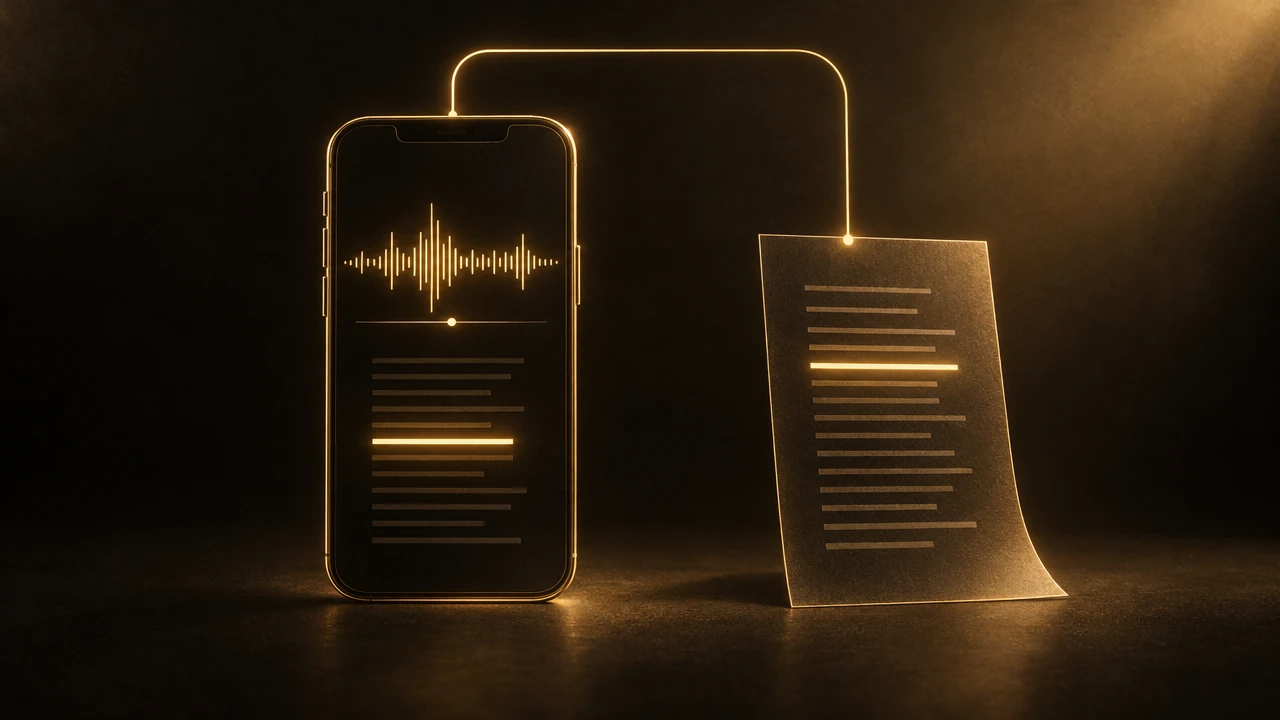
Spotify has transcripts for some podcasts, and you read them in the Spotify mobile app: start an episode, open the Now Playing view and scroll down to the transcript card, or open the episode page. They are generated automatically, the show's creator can switch them off, and Spotify gives listeners no way to download or export them. If you need the full text of an episode, the reliable route skips Spotify entirely: most shows on Spotify are also published as a public podcast feed, and that feed either carries the publisher's own transcript or gives you the audio file to transcribe yourself.
The pages ranking for this question are a transcription tool, a transcription company's blog and an AI-written guide from another transcription company. Two of them tell you to pull the audio out of Spotify with a third-party downloader. You rarely need to, and the sections below explain why, checked against Spotify's own creator documentation on November 19, 2026.
Does Spotify have transcripts for podcasts?
Some shows do. Spotify's help page for creators says, in its own words, that "some shows have auto-generated episode transcripts" and that "transcripts aren't available to all creators." So the answer depends on the show, and sometimes on the episode.
Three things decide whether you see one:
- Spotify generated one. Not every show is covered, and Spotify does not publish a list.
- The creator left it on. Creators can turn auto-generated transcripts off for a single episode or for the whole show. One guide in the current results says creators have to opt in. Spotify's page describes the opposite: transcripts are on unless the creator switches them off.
- You are on the phone app. Spotify's page names one place listeners see transcripts: the Now Playing view and episode pages in the mobile app. It mentions no desktop or web view.
Creators can also upload their own transcript as a VTT or SRT file, and Spotify can show translated transcripts for some shows. If a show has none, nothing on the listener side can make one appear.
How do you see a transcript on Spotify?
On Android or iPhone:
- Play the episode.
- Open the Now Playing screen by tapping the mini player at the bottom.
- Scroll down in the Now Playing view. If the episode has a transcript, a card with the text appears there, and it follows the audio as it plays.
- Alternatively, open the episode page from the show and look for the transcript section.
If there is no card, the episode has no transcript on Spotify. Updating the app or switching phones will not change that, because the decision sits with Spotify and the creator.
Can you copy or export a Spotify transcript?
No. Spotify offers listeners no download, no export and no copy option for transcripts. You can read along, and that is all. Creators can download the transcript of their own show from Spotify for Creators as a VTT file, but that is a tool for the person who publishes the show, not for listeners.
This is the point where most guides send you to a "Spotify transcript extractor" or tell you to download the audio with a third-party app and upload it somewhere. Before doing that, check the feed.
How do you get the full transcript of a Spotify podcast?
Most podcasts on Spotify are not Spotify's. They are ordinary shows that publish one RSS feed, and Spotify is one of many apps that read it. That feed is public, and it is where the full text usually is.
1. Look for the publisher's transcript. Many shows put a transcript on their own website next to the episode, especially interview shows and public radio. Spotify's creator page even has a setting called "Distribute transcripts across other platforms via RSS," which adds the transcript to the feed. The feed standard for this is the podcast:transcript tag, and apps that support it show the text, while you can also open the file directly.
2. Find the feed. Search the show's name together with "RSS" or "podcast feed," look on the show's website, or look it up in a podcast directory such as Podcast Index, which lists feed addresses. Open the feed in a browser and find the episode. If it has a podcast:transcript line, the address in it is the transcript.
3. Transcribe the audio file yourself. If there is no transcript, the same feed entry contains a direct link to the episode's audio file. That file is yours to listen to, and you can run it through any transcription tool you trust. Open source speech recognition such as OpenAI's Whisper runs on your own computer at no cost, and most paid services accept the file or its link. No downloader for Spotify is involved, and the text you get covers the whole episode rather than only the shows Spotify chose.
4. Try another app. Apple Podcasts generates its own transcripts for many shows, and you can search them. The comparison is in Apple Podcasts vs Spotify. Seeing a transcript in a second app is often the fastest fix when you only want to find one passage.
What about Spotify exclusives?
A show published only on Spotify, such as many Spotify Originals, has no public feed. For those, Spotify's own transcript is the only one, and only when Spotify shows it. The tools that promise to extract audio from any Spotify link work by recording or downloading the stream, which Spotify's User Guidelines rule out by name ("ripping" and recording are both on the list), and we do not recommend it. If an exclusive matters to you, the practical options are the in-app transcript, the creator's website, or writing to the creator and asking whether a transcript exists.
What do you actually need the transcript for?
It is worth asking before you pick a tool, because the answer changes the tool.
- You want to quote one sentence. You need the passage, not the episode. The in-app card on Spotify or the searchable transcript in Apple Podcasts finds it fastest.
- You want to publish or repurpose the episode. That is a job for the person who owns the show, and Spotify for Creators already lets them download and upload transcripts.
- You want to remember what you heard. Then a full transcript is less useful than it looks. Reading a wall of text you already heard feels like review and does little; the memory research keeps ranking recall and putting ideas in your own words above rereading. That part is in how to remember what you listen to and taking notes from podcasts without stopping.
Where Graspd fits, and where it does not
Graspd is a podcast player that transcribes what you listen to, so it covers the third case. You add a show by searching for it, Graspd reads its public feed, and every episode you play gets a transcript automatically. When the publisher already provides one in the feed and its timing matches the audio, Graspd uses that one.
You do not get a document to download. What you get is the transcript working for you while you listen: you set a mark with one tap or by speaking a note, and the words around that moment are attached to it, so you can read the passage later without scrubbing back. The AI companion can search the transcript of what you have heard so far and answer questions about it, without spoilers from later in the episode. Marks export as Markdown, one file per mark.
The limit is the same as with any feed-based app: Spotify exclusives cannot be imported, and neither can audiobooks from Audible, whose files are DRM protected. If you only want a text file of an episode, the feed and a transcription tool from the section above are the better choice.
FAQ
Why can't I see the transcript on Spotify?
Either the episode has no transcript, or the creator switched it off. Spotify generates transcripts for some shows only and shows them in the mobile app, in the Now Playing view and on episode pages. There is nothing a listener can turn on.
Can I see Spotify transcripts on desktop?
Spotify's own documentation names only the mobile app, in the Now Playing view and on episode pages. If you need the text on a computer, look for the publisher's transcript on the show's website or in its RSS feed.
Can I download a transcript from Spotify?
Not as a listener. Spotify has no download or export for transcripts in its apps. Creators can download the transcripts of their own shows as VTT files from Spotify for Creators. As a listener, look for the publisher's transcript in the show's feed instead.
How do I get a transcript of a Spotify podcast for free?
Find the show's RSS feed, check it for a publisher transcript, and if there is none, run the episode's audio file from the feed through a free speech recognition tool such as Whisper on your own computer.
Are Spotify transcripts accurate?
They are generated automatically, so expect mistakes in names, technical terms and crosstalk. Creators can replace them by uploading a corrected VTT or SRT file, but they cannot edit them directly inside Spotify for Creators.